
This is the second part of the series of posts about Atlantis.
In this post, I’ll demonstrate using Atlantis to deploy to GCE.
Repo Configuration
The atlantis.yaml file contains the configuration for your directories/projects with Atlantis.
There you can override certain behaviors at the server policy level, add extra steps, and customize workflows.
Here’s the current configuration for the demo repo, which includes only a single directory example:
version: 3
automerge: true
# Defining all workflows for the projects
workflows:
  # only_default: workflow for directories using only the default workspace and a terraform.tfvars file
  only_default:
    plan:
      steps:
        # Validation for terraform commands if in the correct format
        # to fix run terraform fmt . on the directory you're developing
        # and push a new commit with the fix
        # Better would be as well to have some checks on pre-commit as well
        - run: tofu fmt -check=true -diff=true -write=false
        # PS: does not work unless there was first an init, so if you're running for the first time it won't work
        # Validation can be pushed like tflint as a GitHub action
        # - run: tofu validate
        - init:
            extra_args: ["-lock=false"]
        - plan:
            extra_args: ["-var-file", "default.tfvars", "-lock=false"]
  # branch_workspace: workflow for when your project has to use workspaces, like dev / stg / prod
  # on projects for this workflow is when you want to use the same resources and deploy to all stages of development
  # for those please use as input like a ${WORKSPACE}.tfvars as input for different projects or prefixes and so on
  workspaces:
    plan:
      steps:
        # Validation for terraform commands if in the correct format
        # to fix run terraform fmt . on the directory you're developing
        # and push a new commit with the fix
        - run: tofu fmt -check=true -diff=true -write=false
        # PS: does not work unless there was first an init, so if you're running for the first time it won't work
        # Validation can be pushed like tflint as a GitHub action
        # - run: tofu validate
        - init:
            extra_args: ["-lock=false"]
        - plan:
            extra_args: ["-var-file", "${WORKSPACE}.tfvars", "-lock=false"]
projects:
  - dir: my-app-infra
    workspace: default
    workflow: only_default
    # blocked by server config
    # apply_requirements: [approved, mergeable]
    terraform_distribution: opentofu
    terraform_version: v1.11.5
    autoplan:
      when_modified:
        - "*.tf"
        - "*.tfvars"
        - "files/**"
      enabled: true
The permissions are set in Part 01 of the repository, and repos can override workflows and import_requirements only.
You’ll also need to add the webhook URL to the repository, fill out the webhook token, and configure HTTPS and certificate checks if needed.
- URL:
https://<DOMAIN-OR-EXTERNAL-IP>/events
You can then test the webhook by sending a ping:

As I’m not using a domain, my URL is https://<external-ip>/events.
Check here for the Atlantis documentation on configuring the webhook on GitHub.
With the ping and integration working, you can push your PRs for changes and see Atlantis process them.
I have included pre-commit checks in the repo for YAML validation and Terraform fmt and validation.
Pre-commits running:

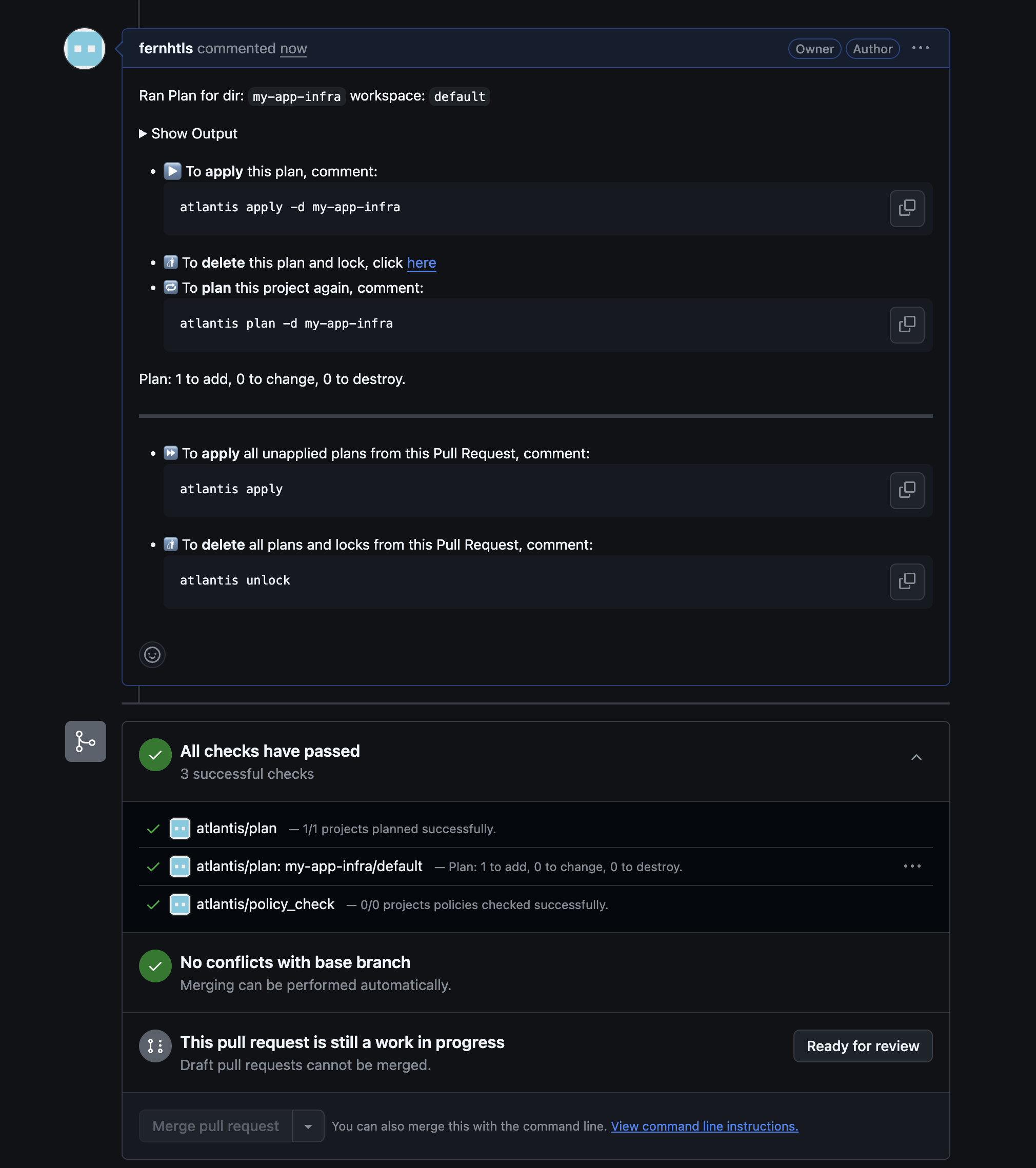
Here’s what the plan looks like when creating a PR:
And here is the detailed plan:
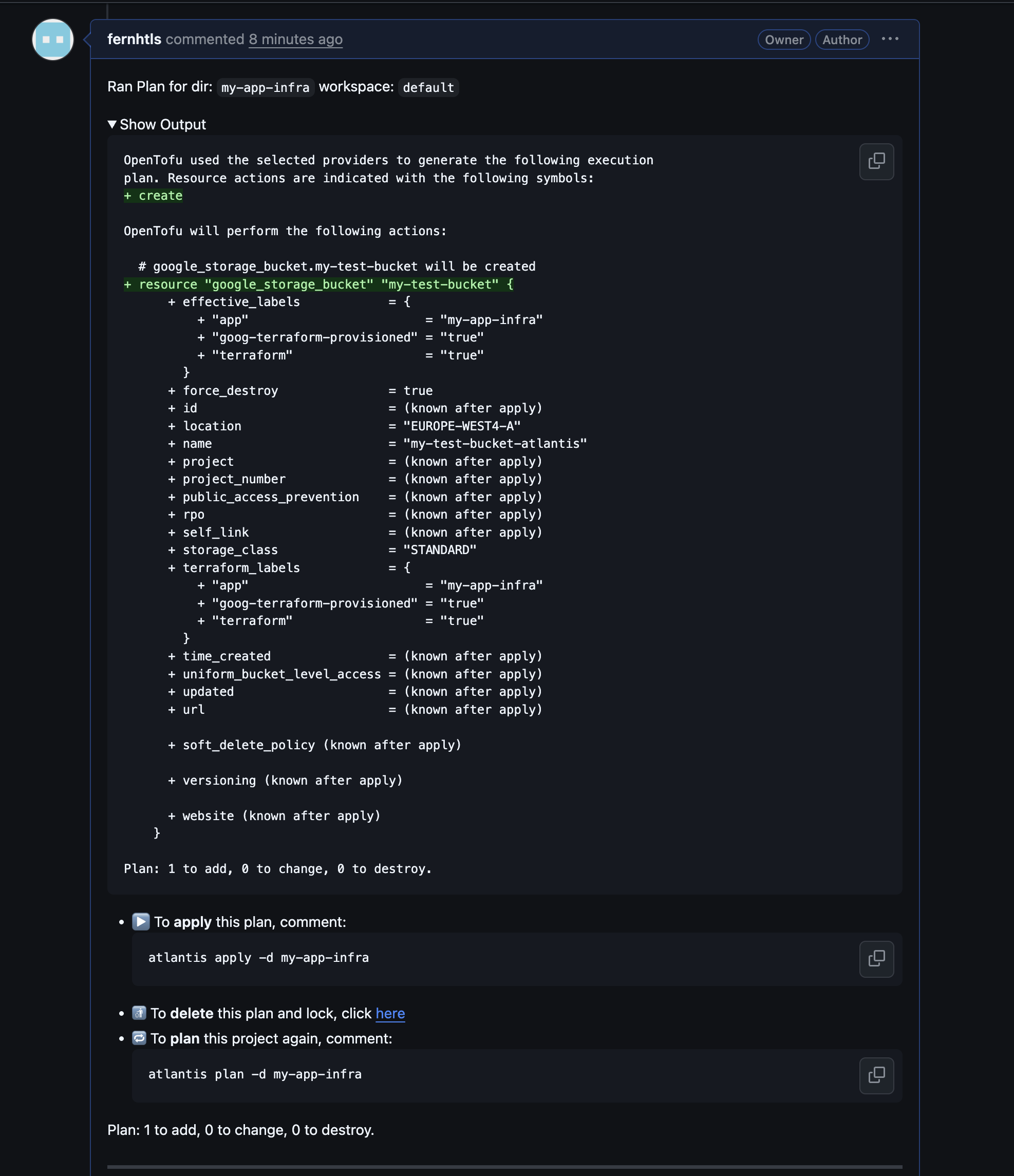
Now you have to run commands like atlantis plan and atlantis apply as comments in the PR to replan/apply resources to your GCP project.
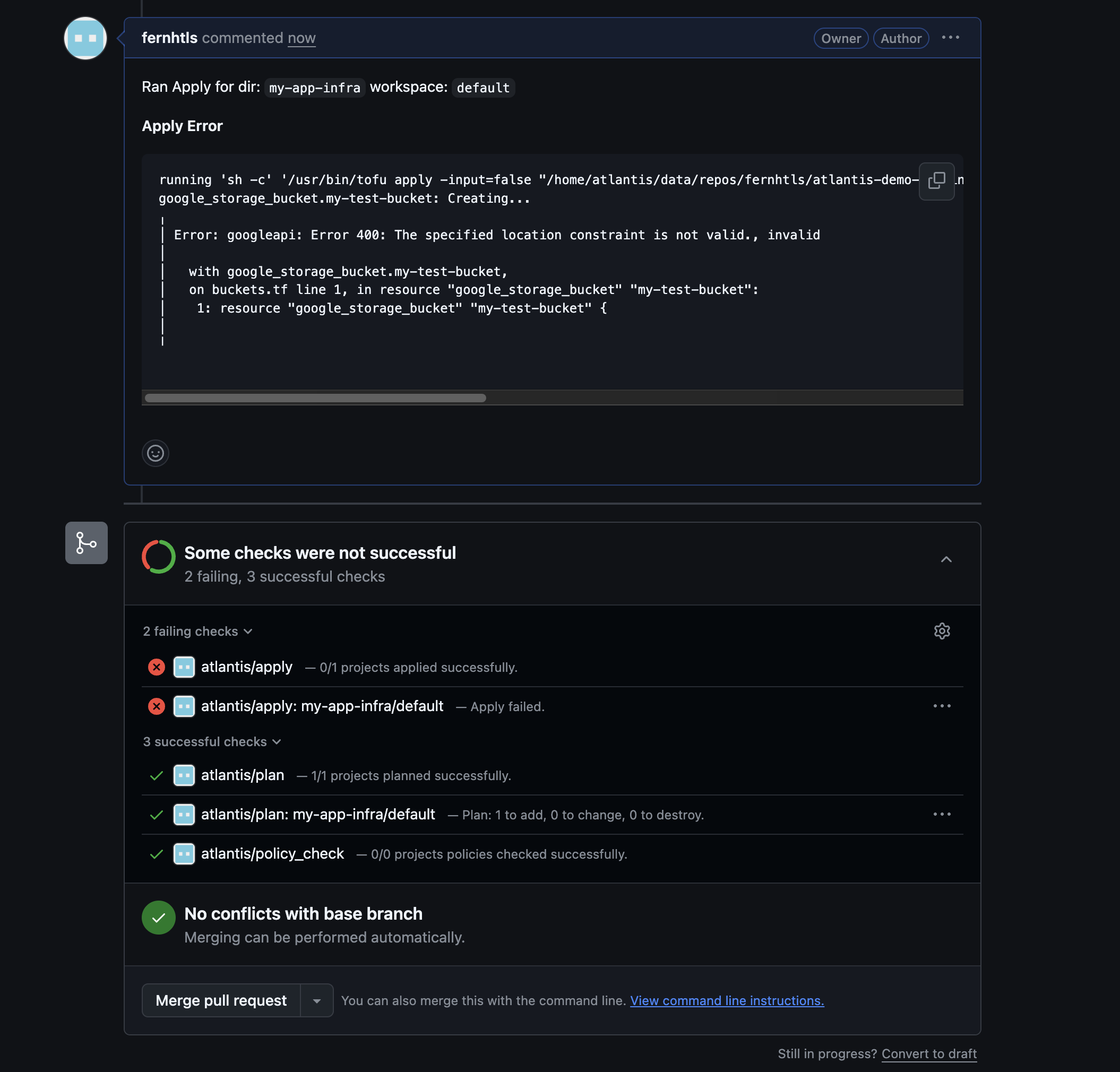
You can catch errors as comments on the PR itself:
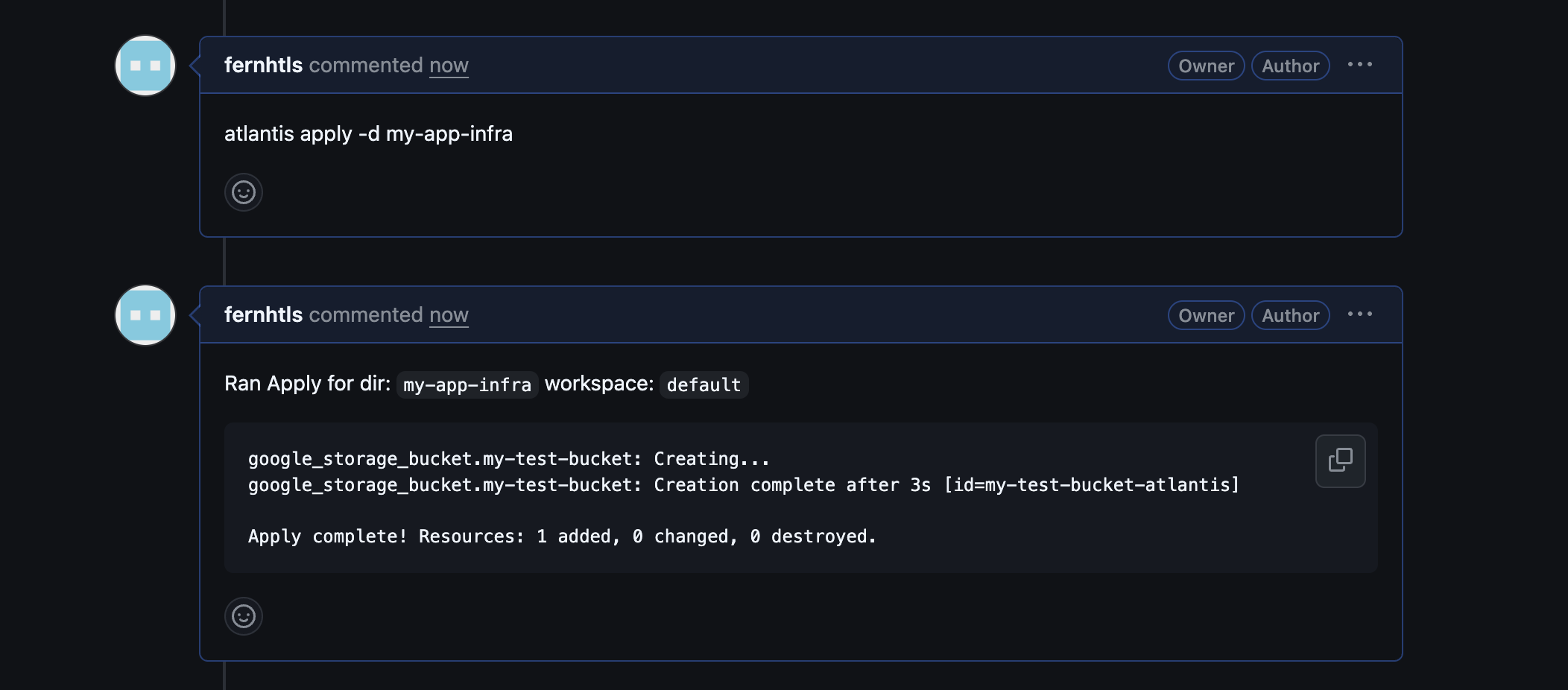
Once fixed, apply again and check if it was successful:
One additional feature—and a point to consider before creating repos—is that with Atlantis we can separate the entire infrastructure per app into directories, making the scope of applying changes much smaller than a single large infra/terraform repo. It’s still a monorepo, so local modules can be shared and used by all apps within the repository.
My demo does not have any modules, but modules could be added at the top level and then used by projects or directories. Here’s how the structure currently looks, but you can create whatever structure works best for your control needs, as the path is also part of the atlantis.yaml configuration:
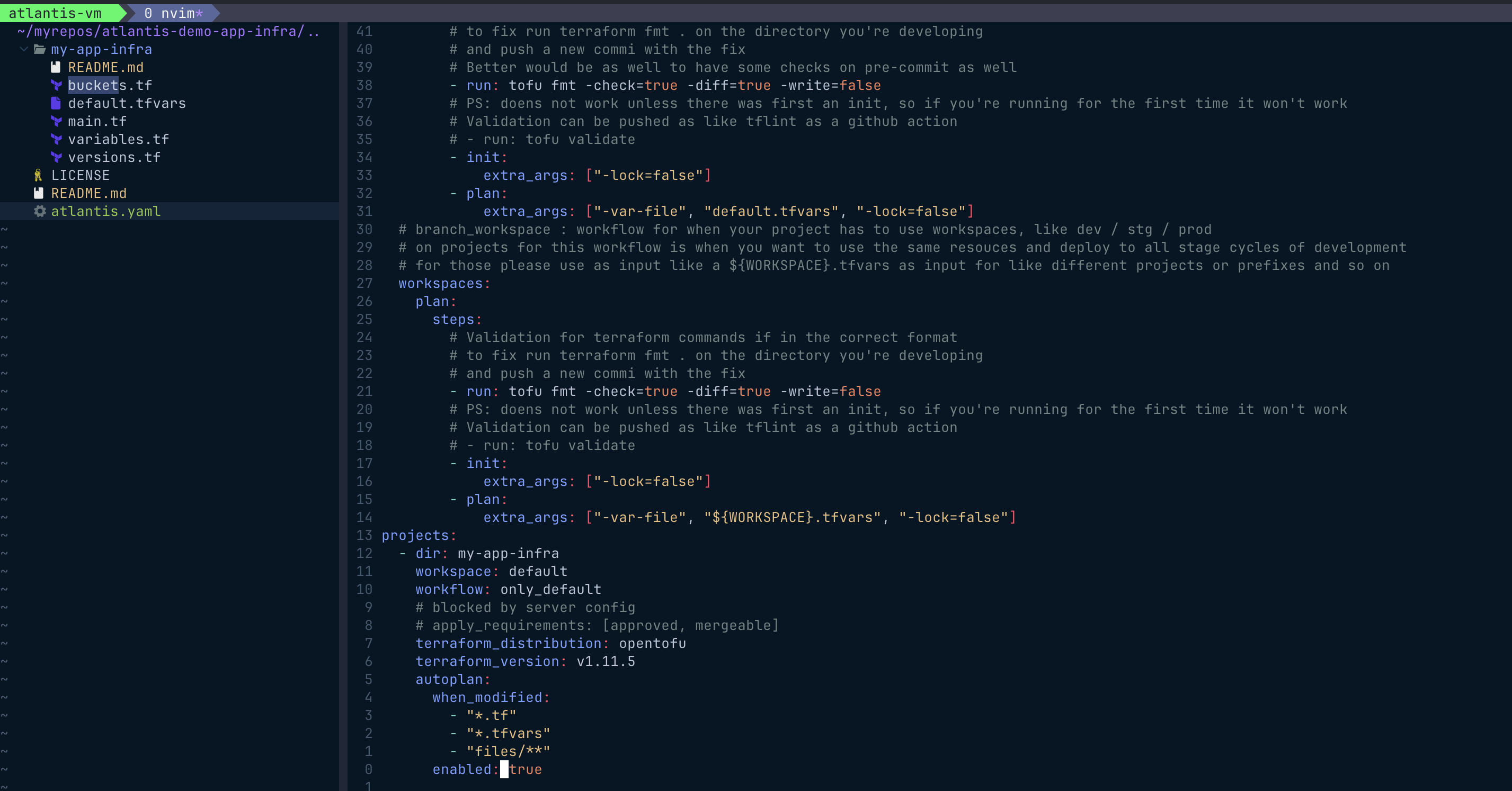
Any other app infrastructure needs to create a new repo and add a new entry under projects.
PS: More on modules: best practice is to use separate repositories with version tagging (this maintains backward compatibility and does not force others to change resources).
Pros and Cons
Pros:
- IAM control for project creation is centralized and not shared with GitHub Actions at all: the VM has the service account/access to apply changes to projects, and no credentials for that service account are shared elsewhere.
- Control over when plans/applies are triggered: forces approval and requires PRs to be mergeable to trigger any actions.
- Security and
allow_repolist: allows only certain repos to use Atlantis, and the token shared only with the webhook setup on the GitHub side ensures no external requests can pass through Atlantis. - Puts the entire infrastructure flow within version control: PRs control all applies, developers have limited access to change/apply resources directly, and everything is managed through workflows in your repository/version control, with no exceptions.
- This enforces as well the approval flow you want to implement, and it does not push the whole infra deployment through
actions, that in some cases have to even be triggered manually.
- This enforces as well the approval flow you want to implement, and it does not push the whole infra deployment through
- You can still use other tools like
terragruntwith Atlantis, as we are just usingopentofuin this demo. - In this setup, I’m not using
redisas the Atlantis lock storage, but if used as external storage, you could run multiple Atlantis instances—not for HA but more like active-active to receive requests (it will still check configs that could be applied in that sense).
Cons:
- Limited direct developer intervention: some manual actions might be needed during lock occurrences or other issues, and developers won’t have direct access to apply resources.
- This can be overcome if you make the atlantis URL available, so even developers could remove locks from repos.
- Upgrades and maintenance for Atlantis become a single point of failure; if issues arise, the entire flow for developers pushing changes stops unless you have an HA/instance group setup.
- An external
redisinstance, ormemorystore, but I didn’t check the whole setup to check for example if two instances can be active and pushing locks, and in some cases you can anyway have some conflicts.
- An external